Importance of Payment Gateways
In today’s fast-paced e-commerce environment, electronic payment gateways are an essential component of any successful online store. They go beyond being mere tools for collecting payments, serving as the vital bridge that connects the customer’s desire to purchase with the seamless and secure completion of the transaction. Mnasati provides an advanced interface to manage multiple payment gateways, giving store owners exceptional flexibility in delivering a smooth customer experience and efficiently expanding their business.
You Can Access Payment Gateway Settings by Following These Steps
1. Log in to your store’s Dashboard on Mnasati.
2. From the right side of the screen, select the Settings section.
3. A menu will appear—choose Payment Gateways.
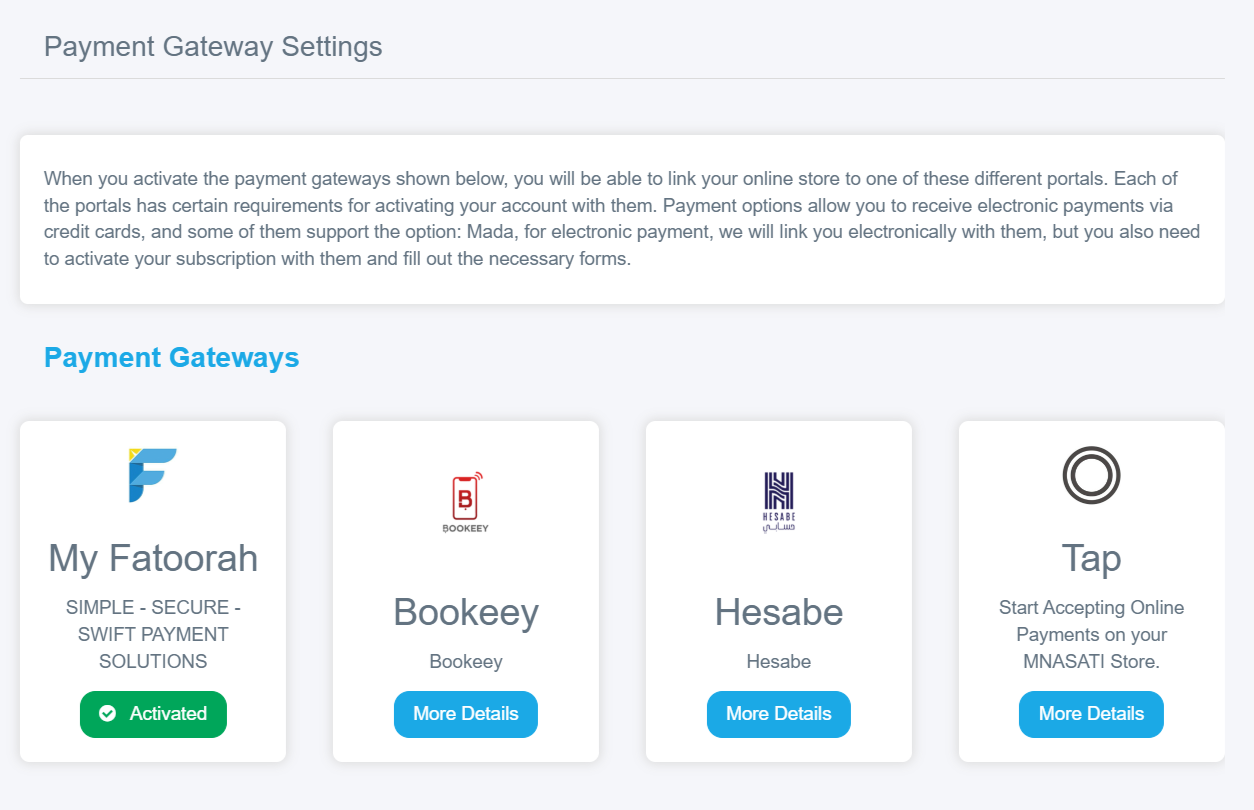
4. A window will then appear displaying several available gateways.
Steps to Set Up Payment Gateways on Mnasati
1. Choose the Appropriate Gateways: Identify the payment methods most commonly used by your potential customers and select gateways that meet your needs. It is recommended to start with at least two or three gateways to provide sufficient options for customers.
2. Register and Obtain Credentials:
Each payment gateway requires:
§ Registration on the gateway’s website.
§ Submission of legal documents for your company or business.
§ Identity verification.
3. Enter Settings on Mnasati:
Through the “Payment Gateway Settings” interface, click on the desired gateway, enter the credentials you received, and activate the gateway.
Available Gateways
With Mnasati, you can go further with the easiest integration methods across a wide range of electronic payment gateways, such as:
- My Fatoorah
- Tap Payment
- Hesabi
- Skip Cash
- Bookeey